
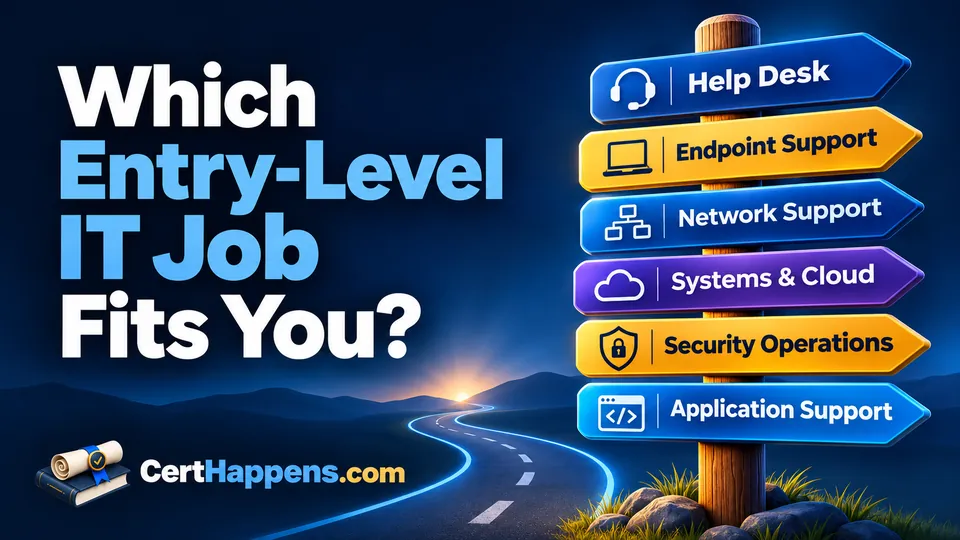
“Entry-level IT” can sound like one starting point. In practice, the first job can feel very different depending on what you are responsible for.
One person may spend the day helping users who cannot sign in or print. Another may prepare laptops and troubleshoot operating systems. Someone else may watch network alerts, support a business application, work with servers and cloud services, or investigate suspicious activity.
Those jobs overlap. They also reward different interests.
The useful question is not only Which title can I get? It is also:
Which problems would I actually want to spend my day solving?
The assessment below uses realistic support situations rather than personality labels. Choose the part of each problem you would most want to own, even if you have not learned how to do it yet.
2. What “Entry-Level” Means in IT
Entry-level does not mean every employer will hire a first-time candidate into every role on this page.
Help desk, service desk, desktop support, and general IT support are common first opportunities because they expose you to many systems while giving you a clear escalation path. The U.S. Bureau of Labor Statistics groups much of this work under computer user support and computer network support specialists. It describes tasks such as diagnosing user problems, documenting symptoms, setting up equipment, installing hardware or software, and troubleshooting networks.
Other jobs can be early-career roles but may expect stronger foundations. A junior systems or cloud support position may want prior support, server, identity, networking, or lab experience. A Security Operations Center (SOC) role may be advertised as junior while still expecting familiarity with operating systems, networks, logs, and security tools.
That is not a reason to avoid those directions. It is a reason to separate two questions:
- Which work interests me?
- What experience do I need before an employer will trust me with it?
Job titles also vary. One employer's “IT Support Specialist” may be mostly help desk. Another may expect desktop deployment, account administration, networking, and application support from the same person. Read the responsibilities, not only the title.
Entry-level role self-assessment
3. Which Entry-Level IT Work Would You Rather Do?
Choose the part of each situation you would most want to own, even if you have not learned the skill yet. The assessment returns your two strongest starting-role matches.
Progress and results are saved in this browser tab.
Your results
Your strongest starting-role matches
These are the two roles your answers matched most often. Treat them as directions to explore, not a promise that every employer will consider the role entry-level.
Job titles and responsibilities overlap. A role that ranks lower may still fit you, especially as your skills and experience change.
Continue below to compare the work, then try one small task that resembles each of your top two results.
4. Help Desk / Service Desk
Help desk is often the closest point between users and the rest of IT.
A normal day may include password and sign-in problems, software questions, printer issues, basic connectivity failures, access requests, and tickets that begin with descriptions such as “nothing works.” The work is partly technical and partly investigative. You have to turn a user's description into something another technician can test.
This role may fit you if you like:
- talking with people while solving a technical problem
- broad variety rather than one narrow system
- figuring out what changed before something stopped working
- getting a person productive again, even when another team owns the final cause
- documenting what you tried so the next person does not start over
Good help desk work is not reading a script at someone. It is listening, gathering useful facts, solving what you can, and escalating with enough evidence that the next team can continue.
A strong starting foundation is CompTIA A+, especially Core 1 troubleshooting and Core 2 operating-system, security, and software-support material. The Internet Down troubleshooting guide is also a good example of turning a vague complaint into smaller questions.
5. Desktop / Endpoint Support
Endpoint support stays closer to the device itself.
You may configure laptops, deploy software, troubleshoot operating systems, replace or connect hardware, work with docking stations and displays, investigate drivers, apply policy, or prepare equipment for new employees. Some organizations separate this from help desk. Others combine the two.
This role may fit you if you like:
- working directly with laptops, desktops, peripherals, and operating systems
- hands-on fixes and visible before-and-after results
- separating hardware, software, account, and configuration problems
- standard builds, deployments, and repeatable support procedures
- learning why one device behaves differently from another
For this direction, use both A+ cores. Core 1 builds hardware, devices, networking, and troubleshooting. Core 2 adds operating systems, security, software troubleshooting, and operational procedures. A home lab gives you a safe place to install, break, recover, and document systems.
6. Network Support / NOC
Network support asks whether the path between systems is working and, if not, where it stops.
A Network Operations Center (NOC) may monitor connectivity, device health, interface status, latency, wireless problems, outages, and alerts from shared infrastructure. Network support specialists may also troubleshoot Local Area Networks (LANs), Wide Area Networks (WANs), Internet connectivity, cloud networks, and network services.
This role may fit you if you like:
- problems that affect several users or systems at once
- tracing a connection hop by hop
- addressing, Domain Name System (DNS), routing, switching, wireless, and network services
- monitoring and recognizing when normal behavior changes
- proving which part of a path works before moving to the next boundary
Start with the networking and troubleshooting portions of A+ Core 1, then use the Network+ study guide for deeper network knowledge. The Wireshark guide can help you see the traffic behind the concepts.
7. Junior Systems / Cloud Support
Systems support moves behind the user's device into the services many people depend on.
Work may involve accounts, groups, permissions, servers, virtual machines, cloud services, backups, scheduled jobs, storage, software deployment, monitoring, and routine administration. O*NET describes systems administration work as maintaining operating systems, physical and virtual servers, networks, access, backups, software, and system availability.
This role may fit you if you like:
- figuring out why a shared service is unavailable
- accounts, permissions, identity, and access
- operating systems and server administration
- virtualization and cloud resources
- monitoring jobs, backups, capacity, and system health
- making a repeatable change that improves service for many users
Many employers do not treat systems administration as a first job with no prior experience. That does not make it a poor early-career goal. Help desk, endpoint support, labs, and junior operations work can build the practical context employers want.
Start with A+ Core 2 and a home lab. Add networking knowledge because servers and cloud services still depend on identity, addressing, name resolution, routing, and access paths.
8. SOC / Junior Security Operations
Security operations focuses on activity that may be unsafe, unauthorized, or unusual.
A SOC analyst may review alerts, sign-in activity, endpoint events, network evidence, suspicious messages, vulnerability findings, or other telemetry. The goal is not to assume every alert is an attack. It is to collect enough evidence to decide what happened, how serious it is, and what should happen next.
This role may fit you if you like:
- asking whether unusual behavior is harmless or suspicious
- logs, alerts, network evidence, and endpoint activity
- investigating events across several systems
- comparing observed behavior with expected behavior
- documenting evidence and escalating when the risk is real
Security is sometimes marketed as an automatic first technology job. Employers may still expect a working foundation in operating systems, networks, accounts, permissions, and troubleshooting. O*NET's Information Security Analyst profile includes monitoring security, troubleshooting systems, documenting procedures, and keeping up with changing technology.
If this work attracts you, build the underlying IT foundation first. Then use ISC2 CC or Security+ resources, depending on your current level, and practice with Wireshark and small cybersecurity projects.
9. Application / Technical Support
Application support concentrates on a particular product, platform, or business workflow rather than every device in the organization.
You may help users with a business application, reproduce errors, inspect application logs, check integrations, validate configuration, work with databases or application services, and provide evidence to developers when the problem requires a code change.
This role may fit you if you like:
- learning one application deeply enough to recognize normal and abnormal behavior
- reproducing a problem from exact steps
- connecting user symptoms to logs, configuration, integrations, or backend services
- explaining technical behavior to users or customers
- handing a defect to engineering with enough evidence that someone else can reproduce it
The Bureau of Labor Statistics notes that some support specialists work for software companies or support-service firms and help customers use business-specific programs. That is a useful reminder that “support” is not limited to fixing laptops.
A+ Core 2 is useful for operating-system, software, security, and troubleshooting foundations. A small project where you reproduce and document a defect can also become practical experience you can discuss in an interview.
10. Compare the Work, Not Just the Titles
| Direction | You spend more time on | Typical problem boundary |
|---|---|---|
| Help desk / service desk | Users, triage, broad support, tickets, communication | What is stopping this person from working? |
| Desktop / endpoint support | Devices, operating systems, applications, peripherals, deployment | What is wrong with this endpoint or its configuration? |
| Network support / NOC | Connectivity, network devices, services, monitoring, outages | Where does communication stop working? |
| Systems / cloud support | Accounts, servers, services, virtualization, cloud resources | Which shared service, resource, or access layer failed? |
| Security operations | Alerts, logs, suspicious activity, controls, investigation | Is this activity expected, unsafe, or malicious? |
| Application support | One product, workflows, logs, integrations, reproducible defects | Is the failure in the user workflow, configuration, integration, service, or application? |
These boundaries are not walls. A help desk technician may troubleshoot DNS. An endpoint technician may work with security policy. A systems technician may inspect network paths. An application support analyst may work with cloud services.
The distinction is where your attention tends to stay after the first obvious checks.
11. Use Your Results as a Direction to Test
A quiz cannot tell you which employer will hire you or which job you will enjoy for years. It can give you a better experiment to run next.
If a role appears in your top two:
- Read several job descriptions with that title and nearby titles.
- Ignore the experience requirements on the first pass and study the repeated responsibilities.
- Try one small project that resembles the work.
- Notice which part holds your attention after the easy steps are finished.
- Build the missing foundation, then decide whether the role is realistic now or a useful next step after another IT job.
A first role is not a permanent identity. Help desk can lead toward endpoint, networking, systems, security, application support, or other specialties. Network support can lead deeper into infrastructure or security. Application support can lead toward systems, databases, quality, development, or product work.
The useful starting point is the job that gives you real problems, useful practice, and a reason to keep learning.