
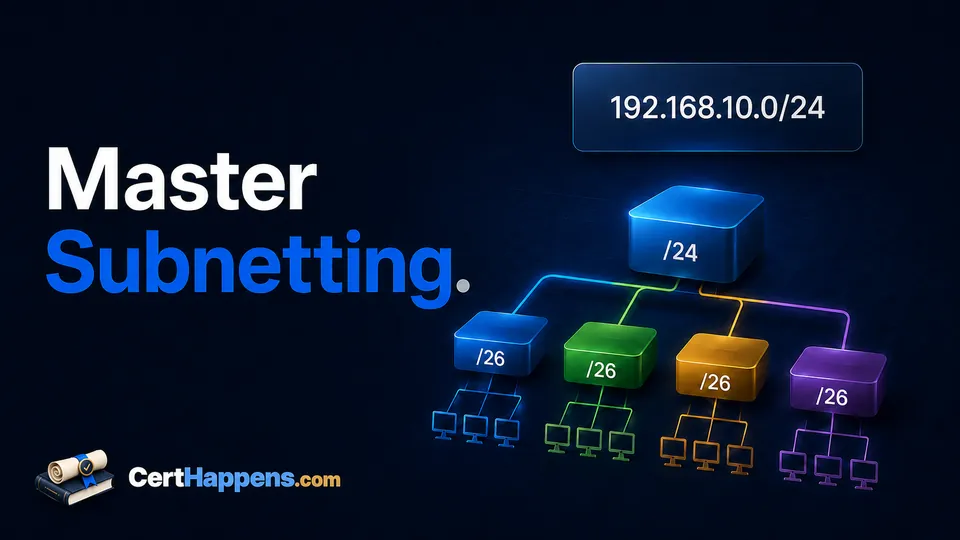
A subnetting problem should not feel like a fresh riddle every time the numbers change.
You may be asked to find the network address for 192.0.2.77/27, decide whether two hosts are in the same subnet, choose a prefix that supports 50 devices, or identify a broadcast address. Those look like different questions, but most of them reduce to the same few decisions.
The useful skill is not memorizing a giant chart. It is being able to answer these questions in order:
- How many bits belong to the network?
- How large is each address block?
- Which block contains this address?
- Where does that block start and end?
Once the boundary is correct, the network address, broadcast address, and ordinary usable host range follow from it.
This article focuses on IPv4. IPv6 also uses prefix lengths, but it does not use IPv4-style broadcast addresses and deserves its own addressing workflow.
2. Subnetting Changes Where the Network Boundary Falls
An IPv4 address contains 32 bits. A prefix length tells you how many of those bits identify the network portion.
For example:
192.0.2.77/27
The /27 means 27 bits are network bits. That leaves:
32 - 27 = 5 host bits
Five host bits create:
2^5 = 32 total addresses
That number, 32, is the size of each /27 block.
The important idea is that subnetting creates aligned ranges. A /27 does not create an arbitrary group of 32 addresses around whatever host you were given. Its boundaries occur every 32 addresses in the relevant octet.
For a /27, the fourth-octet boundaries are:
0, 32, 64, 96, 128, 160, 192, 224
The host .77 therefore belongs to the block that starts at .64 and ends just before the next boundary at .96.
That is the part learners often skip. They calculate that a /27 contains 32 addresses, then guess where those 32 addresses begin.
Subnet size tells you how wide the block is. The boundary tells you which block you are actually in.
3. Start With the Prefix, Not the Host Number
When the question gives you Classless Inter-Domain Routing (CIDR) notation such as /26, /27, or /20, start there.
A prefix length can tell you three useful things:
- how many host bits remain;
- how many total addresses are in each subnet;
- which octet contains the changing subnet boundary.
IPv4 octets line up at /8, /16, /24, and /32.
| Prefix | Mask | Host bits | Total addresses | Ordinary usable hosts |
|---|---|---|---|---|
| /24 | 255.255.255.0 | 8 | 256 | 254 |
| /25 | 255.255.255.128 | 7 | 128 | 126 |
| /26 | 255.255.255.192 | 6 | 64 | 62 |
| /27 | 255.255.255.224 | 5 | 32 | 30 |
| /28 | 255.255.255.240 | 4 | 16 | 14 |
| /29 | 255.255.255.248 | 3 | 8 | 6 |
| /30 | 255.255.255.252 | 2 | 4 | 2 |
For ordinary IPv4 LAN subnetting, the familiar usable-host calculation is:
2^(host bits) - 2
The subtraction removes the subnet's network address and directed broadcast address. Later in this article, we will separate /31 and /32 because those prefixes have different uses and should not be forced into the ordinary LAN rule.
You do not need to memorize every row of a table if you understand the pattern. Moving the prefix one bit to the right halves the address block.
A /24 has 256 addresses. A /25 has 128. A /26 has 64. A /27 has 32.
4. Use the Same Method Every Time
For a host address and prefix, use this sequence.
Step 1: Find the host bits
host bits = 32 - prefix
For /27:
32 - 27 = 5
Step 2: Find the total addresses
total addresses = 2^(host bits)
For /27:
2^5 = 32
Step 3: Find the changing octet and block size
When the prefix falls between /25 and /32, the boundary changes in the fourth octet. For /17 through /24, it changes in the third octet. The same idea continues toward the left for shorter prefixes.
If you have the dotted-decimal mask, another useful shortcut is:
block size = 256 - mask value in the changing octet
For /27, the mask is 255.255.255.224:
256 - 224 = 32
Same answer: a 32-address block.
Step 4: Find the network boundary
Locate the greatest block-size multiple that is less than or equal to the address value in the changing octet.
For .77 with a block size of 32:
0, 32, 64, 96 ...
77 falls between 64 and 96, so the subnet begins at 64.
Step 5: Find the end of the block
The next subnet begins at 96, so the current subnet ends one address earlier:
broadcast = 96 - 1 = 95
For an ordinary IPv4 subnet:
network:    .64
first host: .65
last host:  .94
broadcast:  .95
That sequence is the core of the method:
prefix → block size → network boundary → next boundary → broadcast and host range
5. Work a /27 From Start to Finish
Find the subnet information for:
192.0.2.77/27
First, convert the prefix into what you need:
host bits = 32 - 27 = 5
addresses = 2^5 = 32
mask      = 255.255.255.224
block     = 256 - 224 = 32
Now list only enough boundaries to locate .77:
0, 32, 64, 96
You do not need to write every possible subnet. The address falls in the 64–95 block.
| Given host | 192.0.2.77/27 |
|---|---|
| Subnet mask | 255.255.255.224 |
| Total addresses | 32 |
| Network address | 192.0.2.64 |
| First ordinary host | 192.0.2.65 |
| Last ordinary host | 192.0.2.94 |
| Broadcast address | 192.0.2.95 |
| Next subnet | 192.0.2.96/27 |
A useful self-check is to ask whether the original address actually lands inside the range you calculated. 192.0.2.77 is between .64 and .95, so it does.
Then check alignment. A /27 advances in blocks of 32, and .64 is a multiple of 32. Good.
These tiny checks catch a surprising number of arithmetic slips.
6. The Method Still Works When the Boundary Moves Left
A common shortcut failure appears when the prefix is shorter than /24. Learners get comfortable changing only the fourth octet, then a /20 arrives and the familiar pattern seems to stop working.
It did not stop. The changing octet moved.
Consider:
10.23.77.45/20
A /20 mask is:
255.255.240.0
The first two octets are completely network bits. The third octet contains four network bits and four host bits, so it is the changing octet.
Its block size is:
256 - 240 = 16
Third-octet boundaries therefore occur at:
0, 16, 32, 48, 64, 80, 96 ...
The third octet in the host address is 77. That falls in the block beginning at 64 and ending just before 80.
So:
network:    10.23.64.0/20
broadcast:  10.23.79.255
first host: 10.23.64.1
last host:  10.23.79.254
Notice what happened to the fourth octet. Once the third-octet network boundary is known, all host bits to its right are zero for the network address and one for the broadcast address.
That is why the network ends in .64.0, while the broadcast ends in .79.255.
If you understand that, you are no longer using a fourth-octet trick. You are subnetting.
7. Choose a Prefix From a Host Requirement
Some questions work backward. Instead of giving you a prefix, they give you a requirement:
A subnet must support 50 ordinary IPv4 hosts. What is the smallest subnet that fits?
Start with the required usable hosts and find the smallest power-of-two block that leaves enough room for the network and broadcast addresses.
For 50 hosts:
50 + 2 = 52 addresses needed
The next power of two is 64:
2^6 = 64
Six host bits means:
32 - 6 = /26
A /26 has 64 total addresses and 62 ordinary usable host addresses, so it fits.
A /27 has only 32 total and 30 ordinary usable hosts, so it does not.
The useful decision rule is:
Choose the smallest subnet that meets the requirement, then verify the usable capacity.
Do not confuse number of subnets with number of hosts per subnet. They are related to different sides of the same 32-bit boundary. Moving the prefix right creates more, smaller subnets. Moving it left creates fewer, larger subnets.
8. Decide Whether Two Hosts Share a Subnet
Suppose you are given:
192.0.2.77/27
192.0.2.94/27
You already know /27 uses 32-address blocks:
0–31
32–63
64–95
96–127
...
Both .77 and .94 fall in the 64–95 block. Their network address is therefore the same:
192.0.2.64/27
They are in the same subnet.
Now compare:
192.0.2.77/27
192.0.2.97/27
.77 is in 64–95. .97 is in 96–127.
Different network addresses mean different subnets.
This boundary method is usually faster than converting both complete addresses to binary. Binary is still the underlying reason the masks work, and you should understand it, but you do not need to rewrite 32 bits for every routine subnet question.
When a question feels ambiguous, calculate the network address for each host. If the network addresses match under the same prefix, the hosts are in the same subnet.
9. Watch for the Mistakes That Produce Plausible Answers
Subnetting errors are annoying because many wrong answers still look tidy.
Using the subnet size as the network address
If a /26 has 64 addresses, that does not mean every host belongs to a subnet starting at .64. The valid starts are multiples of 64:
.0, .64, .128, .192
A host at .142 belongs to the .128 block, not the .64 block.
Counting total addresses as usable hosts
A conventional /26 contains 64 total addresses, but the ordinary usable host range contains 62. Network and broadcast still occupy addresses in that block.
Subtracting two too early
Use the full block size to find subnet boundaries. A /27 advances by 32, not 30. The -2 applies to ordinary usable-host capacity, not to the spacing between network addresses.
Changing the wrong octet
A /20 changes in the third octet. A /27 changes in the fourth. Identify the changing octet before listing boundaries.
Assuming every prefix uses the ordinary host rule
/31 and /32 have specific uses. Treat them deliberately instead of blindly applying 2^h - 2 to every prefix.
Memorizing a chart without understanding alignment
A chart can tell you that /27 means 32 addresses. It cannot rescue you if you still choose .77 as the start of a 32-address subnet.
The boundary is the skill.
10. Use the Calculator as a Verifier, Not a Substitute
The Cert Happens IPv4 subnet calculator is useful precisely because you should not have to wonder whether a practice answer is correct.
A good practice loop is:
- Work the problem without the calculator.
- Write down the prefix, block size, network address, broadcast address, and host range.
- Enter the address and prefix into the calculator.
- Compare the results.
- If they differ, find the first step where your reasoning changed from the calculator's result.
Do not merely replace your answer with the calculator output. Diagnose your mistake.
If your block size was wrong, revisit the prefix or mask. If the block size was right but the network address was wrong, work on boundary alignment. If network and broadcast were right but usable-host count was wrong, separate total addresses from ordinary usable hosts.
That turns the calculator into feedback instead of a crutch.
11. Practice the Process, Not Just Random Answers
Subnetting becomes faster when the sequence becomes boring.
Try problems in small groups that isolate one skill:
Find the network boundary
198.51.100.142/26
203.0.113.211/28
192.0.2.36/29
Find the smallest prefix for a host requirement
20 hosts
50 hosts
100 hosts
Decide whether two addresses share a subnet
192.0.2.65/27 and 192.0.2.94/27
192.0.2.65/27 and 192.0.2.96/27
10.23.70.10/20 and 10.23.79.200/20
Move the changing octet
10.23.77.45/20
10.23.129.10/18
10.200.14.8/13
For each one, use the same written structure:
prefix:
host bits:
mask:
block size:
network:
broadcast:
usable range:
Speed can come later. A repeatable correct method is much easier to speed up than a collection of guesses.
12. Know Why /31 and /32 Are Special
The ordinary 2^h - 2 host formula describes traditional IPv4 subnets that reserve a network address and a directed broadcast address.
Two prefixes deserve separate treatment.
/31
A /31 contains two addresses. Request for Comments (RFC) 3021 defines the use of 31-bit prefixes on IPv4 point-to-point links so both addresses can represent the two endpoints. On those links, the two addresses are not consumed as a traditional network-and-broadcast pair.
That is useful for point-to-point addressing, but it does not mean every device or network design treats /31 as an ordinary client LAN.
/32
A /32 identifies one IPv4 address. It is commonly used when a route or rule needs to identify a single host address rather than a multi-address subnet.
So if an exam or real configuration question uses /31 or /32, stop before applying the ordinary usable-host formula and ask what the prefix is being used to represent.