
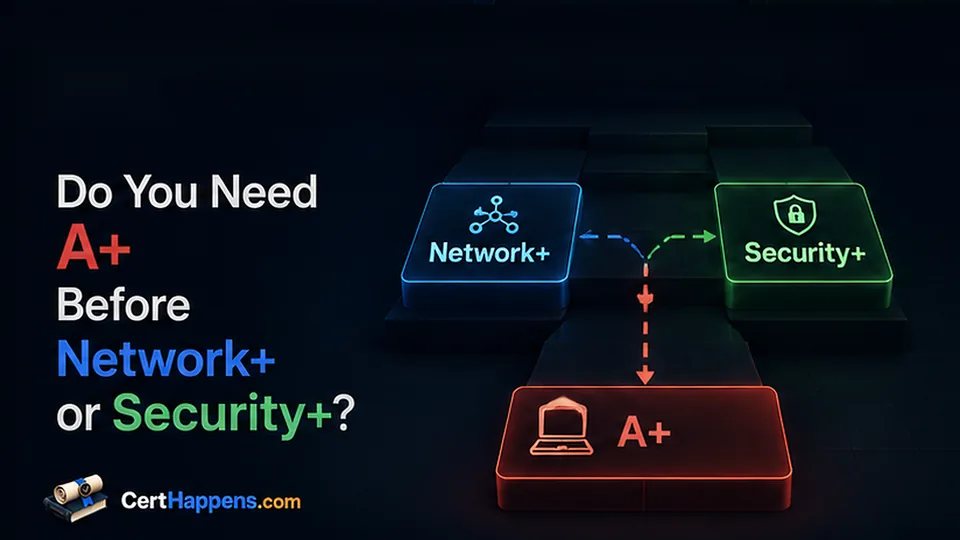
A+ is often described as the first step in a CompTIA certification path. That can make it sound mandatory.
It is not.
You can earn Network+ or Security+ without earning A+ first. The more useful question is whether you already have the skills that A+ is meant to build.
If you do, another A+ exam may add less value than moving forward.
If you do not, skipping the foundation can make Network+ or Security+ harder than it needs to be.
2. The Short Answer
You do not need the A+ certification before Network+ or Security+.
You may still need A+ knowledge.
That includes basic comfort with:
- Computer hardware and storage
- Operating systems
- User accounts and permissions
- Software installation and updates
- Basic networking
- Common security practices
- Mobile devices and peripherals
- Troubleshooting
If those areas are mostly familiar, you may be ready to move to Network+ or Security+.
If many are new, A+ can provide useful structure.
The key distinction is simple:
Needing the knowledge does not always mean needing the certification.
3. A+ Skills and the A+ Certification Are Two Different Decisions
This is where many certification plans become longer than they need to be.
There are two separate questions:
- Do I know the material well enough?
- Would earning the credential help me?
You can answer yes to one and no to the other.
For example, someone who has worked at a help desk for two years may already install operating systems, manage accounts, replace hardware, troubleshoot software, configure Wi-Fi, and solve routine user problems.
That person may have A+ skills without holding A+.
Going back to earn A+ can still make sense if an employer wants it or if the learner wants a formal credential. But it is not required before moving to networking or security.
The reverse can also happen.
Someone may have studied enough to pass an entry-level exam but still struggle to troubleshoot a real computer or explain why a configuration change fixed a problem.
The credential and the practical foundation are related. They are not identical.
4. What A+ Is Designed to Build
The current CompTIA A+ certification uses two exams: Core 1 (220-1201) and Core 2 (220-1202).
Together, they cover a broad set of early-career IT skills, including:
- Mobile devices
- Networking
- Hardware
- Virtualization and cloud computing
- Hardware and network troubleshooting
- Operating systems
- Security
- Software troubleshooting
- Operational procedures
That breadth is why A+ can be useful for a beginner.
It gives you context.
A router is not just a definition. It is something a user depends on when a laptop cannot reach the Internet.
Permissions are not just an access-control concept. They affect whether a user can open a file or install software.
Updates are not only a security topic. They can fix bugs, introduce changes, and sometimes create troubleshooting work.
These connections become useful later in both Network+ and Security+.
5. What You Should Know Before Network+
Network+ goes deeper into networking than A+.
You do not need to know everything before you start. That is what the course of study is for.
But the learning curve is easier when basic computer and network use already makes sense.
Before Network+, it helps if you can:
- Identify common computer components
- Work comfortably in a desktop operating system
- Find basic network settings
- Explain the purpose of an IP address
- Recognize a router, switch, wireless access point, and firewall
- Connect a device to wired or wireless networking
- Install or update a network adapter
- Use a simple troubleshooting process
- Separate a device problem from a network problem
You do not need advanced subnetting before you begin Network+. You will learn it.
You do not need to configure enterprise switches before you begin either.
The goal is to avoid learning basic computer use and networking fundamentals at the same time as deeper networking.
A simple example
Suppose one laptop cannot connect to Wi-Fi.
An A+ foundation-level investigation may start with the device:
- Is Wi-Fi enabled?
- Is airplane mode on?
- Is the adapter recognized?
- Does the device see the network?
- Is the driver working?
- Can another device connect?
Network+ expands the investigation:
- Is the access point working?
- Is the client receiving a valid address?
- Is Dynamic Host Configuration Protocol (DHCP) working?
- Can the client reach the default gateway?
- Is Domain Name System (DNS) resolution failing?
- Is the problem limited to one virtual local area network (VLAN) or wireless network?
The deeper networking questions are easier when the device-level checks already feel normal.
6. What You Should Know Before Security+
Security+ depends on both IT and networking context.
Again, you do not need the A+ credential.
You do need to understand what you are protecting.
Before Security+, it helps if you can:
- Work with user and administrator accounts
- Explain permissions at a basic level
- Install software and operating-system updates
- Recognize common computer and network components
- Understand basic IP addresses, ports, and protocols
- Explain what routers and firewalls do
- Recognize common logs and system events
- Understand backups and recovery at a basic level
- Follow a troubleshooting process
- Explain why least privilege, patching, and multi-factor authentication reduce exposure
Security+ adds more.
It asks you to connect threats, vulnerabilities, controls, architecture, identity, operations, incident response, governance, and risk.
If the underlying systems are unfamiliar, the security terms can become disconnected facts.
You might memorize that a firewall filters traffic without understanding where the traffic comes from, what the rule is matching, or what a blocked connection looks like during troubleshooting.
That is why foundation work matters.
7. A Quick Check of Your A+ Foundation
You probably do not need to earn A+ first if you can explain or perform most of the following without following a step-by-step tutorial:
- Create a standard user account and explain why it should not always have administrator rights.
- Install an application and remove it cleanly.
- Find a computer's IP address, default gateway, and DNS settings.
- Explain the difference between local storage, memory, and cloud storage.
- Connect a computer to Wi-Fi and investigate when it fails.
- Apply operating-system updates and explain why they matter.
- Identify whether a problem is more likely hardware, software, account, or network related.
- Explain what a backup is and how restoring differs from copying a file.
- Recognize a router, switch, wireless access point, and firewall and explain their basic roles.
- Describe a sensible troubleshooting process instead of changing random settings.
You do not need perfect answers.
You should be able to explain the purpose of each task and make a reasonable first attempt.
If most of this feels normal, A+ may be optional.
If most of it feels unfamiliar, the A+ material can give you a useful foundation even if you decide not to buy the exams.
8. When Earning A+ Makes Sense
A+ can be worth earning when the credential itself solves a problem.
Consider earning it when:
- You are trying to get your first IT support job.
- You have little hands-on IT experience.
- Job listings you are targeting mention A+.
- You want a structured introduction to hardware, operating systems, software, networking, and troubleshooting.
- You need an external goal to keep your study organized.
- Your resume has little technical experience and the credential would help show deliberate preparation.
- You want support or desktop work before specializing in networking or security.
For a true beginner, A+ also gives you two chances to discover what you enjoy.
You may find that hardware bores you but networking is interesting.
You may enjoy troubleshooting operating systems more than you expected.
You may realize that security makes much more sense after you have worked through accounts, permissions, updates, and device problems.
That information is useful before choosing a specialization.
9. One More Reason to Consider A+: CompTIA Stackable Certifications
There is one additional reason you may choose to earn A+ even when you already have much of the knowledge: CompTIA stackable certifications.
CompTIA uses certain combinations of active certifications to recognize a broader group of skills.
Two combinations are relevant to this decision:
- CompTIA IT Operations Specialist (CIOS): A+ + Network+
- CompTIA Secure Infrastructure Specialist (CSIS): A+ + Network+ + Security+
These are stackable credentials. They recognize the combination of certifications you already earned rather than adding another certification exam.
That can change the value calculation.
For example, suppose you already plan to earn Network+ and Security+. If you also earn A+, the sequence can produce CIOS after A+ and Network+, then CSIS after all three are active.
Without A+, you can still earn Network+ and Security+ and use those certifications. You would not meet the A+-dependent combination for CIOS or CSIS.
How much should stacking affect your decision?
Treat it as an additional benefit, not the first reason to choose an exam.
Ask:
- Would A+ help with the jobs I am targeting?
- Do I still need meaningful A+ knowledge?
- Am I already planning to earn Network+ and Security+?
- Is the extra study time and exam cost worthwhile to me?
- Would I use CIOS or CSIS on my resume or professional profiles?
A stackable title can make an existing certification plan more complete.
It should not force you into an exam that adds little useful knowledge or career value.
Also check the job postings you care about. An employer asking specifically for A+, Network+, or Security+ is a clearer signal than assuming a stackable credential will be required.
10. When Skipping A+ Can Make Sense
Skipping the certification can be reasonable when the foundation already exists.
Examples include:
- You already work in IT support.
- You regularly troubleshoot Windows, macOS, or Linux systems.
- You manage user accounts, software, updates, and basic permissions.
- You build or repair computers.
- You already understand basic networking.
- You have relevant coursework plus meaningful lab experience.
- Your target job values Network+, Security+, or CCNA more than A+.
- The A+ material is mostly review rather than new learning.
Do not skip it only because you want to reach a more advanced certification faster.
Skip it because you can demonstrate that the underlying skills are already there.
11. What If You Know Some A+ Topics but Not Others?
This is a common situation.
You may be comfortable with computers but weak in networking.
You may know Windows well but have rarely replaced hardware.
You may understand hardware but know little about permissions, logs, or command-line tools.
A few gaps do not justify two A+ exams by themselves.
Use the current A+ objectives as a checklist.
For each topic, ask:
- Can I explain it in plain language?
- Can I recognize it in a real system?
- Can I perform the basic task?
- Can I troubleshoot a simple failure?
Then repair the gaps that matter for your next certification.
Moving to Network+
Prioritize:
- Basic network settings
- Common devices
- Wired and wireless connectivity
- Operating-system networking tools
- Troubleshooting
- Basic security
Moving to Security+
Prioritize:
- Accounts and permissions
- Operating systems
- Updates and patching
- Basic networking
- Logs
- Backups
- Security fundamentals
- Troubleshooting
This approach can be more efficient than restarting from the beginning.
12. Practical Certification Sequences
There is no required CompTIA ladder.
Brand new to IT
A reasonable path is:
Build A+ skills → earn A+ if the credential helps → Network+ or another next step
If cybersecurity is the goal, you can later move toward Security+ once the IT and networking foundation is usable.
Comfortable with computers, weak in networking
A reasonable path is:
Fill specific A+ gaps → Network+
You do not need to earn A+ only to prove that you know how to use and troubleshoot computers.
IT support experience, security goal
A reasonable path may be:
Network+ if networking is weak → Security+
or:
Security+ if networking is already solid
Your job experience may already cover much of the A+ foundation.
No IT experience, but cybersecurity is the goal
Do not think only in certification names.
A useful sequence may be:
Basic IT skills → basic networking → ISC2 CC or another introductory security step → Security+
A+ can provide structure for the first stage, but it is not the only way to learn those skills.
Already have A+
Do not repeat the foundation.
Use what you learned.
If networking is the next gap, move to Network+ or CCNA depending on your goals.
If your technical foundation is solid and security is the goal, move toward Security+.
13. Common Mistakes
Treating CompTIA certifications as mandatory levels
A+, Network+, and Security+ are not a game where one level must be unlocked before the next.
CompTIA recommends experience and related knowledge, but the exams do not create a mandatory ladder.
Skipping the skills because you are skipping the certification
This is the bigger problem.
You can skip A+ and still learn the material you need.
Skipping both the exam and the foundation can create avoidable difficulty later.
Earning A+ only because someone said everyone should
The certification should support a goal.
If you already perform the work and your target roles do not value A+, another use of your study time may be better.
Avoiding A+ because it seems too basic
Basic does not mean useless.
A weak foundation becomes visible when troubleshooting gets complicated.
If you cannot explain why a computer, account, application, or network connection is failing, advanced security terminology will not fix that gap.
Using practice-test scores as the only readiness check
A high score can come from repeated exposure to the same questions.
Ask whether you can explain the concept, perform the task, and troubleshoot a changed scenario.
That tells you more about whether the foundation is real.
14. Check the Current Certification Details
Exam versions, objectives, prices, and policies can change. Check the official certification pages before buying a voucher or choosing exam-specific study material.
- CompTIA A+ certification page
- CompTIA Network+ certification page
- CompTIA Security+ certification page
If you are still choosing among several starting certifications, use Which IT Certification Should You Earn First? for the broader comparison.